
Technical SEO
Robots.txt vs Noindex: What Each One Actually Controls
Learn when to use robots.txt, a noindex meta tag or an X-Robots-Tag header, why combining blocks can backfire, and how to verify the result.
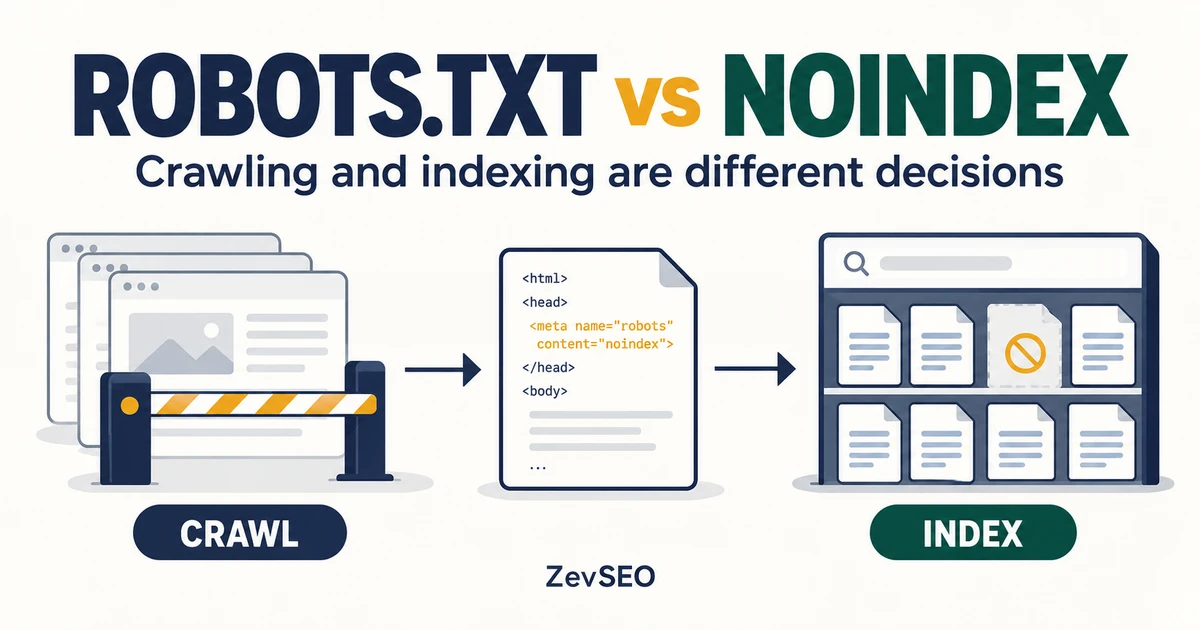
You add a page to robots.txt because you do not want it in Google. Later, the URL still appears. You add a noindex tag as well, but nothing seems to change.
The problem may be the combination: the crawler is being told not to fetch the very page containing the instruction you need it to read.
Use robots.txt to manage supported crawlers' access. Use noindex to control indexing of accessible content. Use authentication to protect private content. Choose the outcome first, then check the mechanism that produces it.
This guide uses a fictional SaaS website and copyable configuration examples. The examples explain behavior; they are not measurements from a customer site.
1. Crawling and indexing are different decisions
A crawler first needs to retrieve a resource before it can read page-level indexing instructions. A search engine then decides how to process the resource and whether it belongs in its index.
Google describes robots.txt as a way to manage crawler access, and warns that a disallowed URL can still appear in search results if it is discovered elsewhere. See its introduction to robots.txt.
| Your objective | Suitable starting point | What it does not establish |
|---|---|---|
| Reduce crawling of selected URL paths | robots.txt rules for the relevant crawler | Removal from the search index |
| Keep a public, accessible HTML page out of search | A noindex meta tag | Protection from people opening the URL |
| Exclude an accessible PDF or other suitable resource | An X-Robots-Tag response header | A restriction on who can download it |
| Protect customer or staging content | Authentication and access control | Something robots.txt can enforce |
| Let a public product page compete in search | Allow access and remove unintended indexing blocks | A guarantee of indexing or ranking |
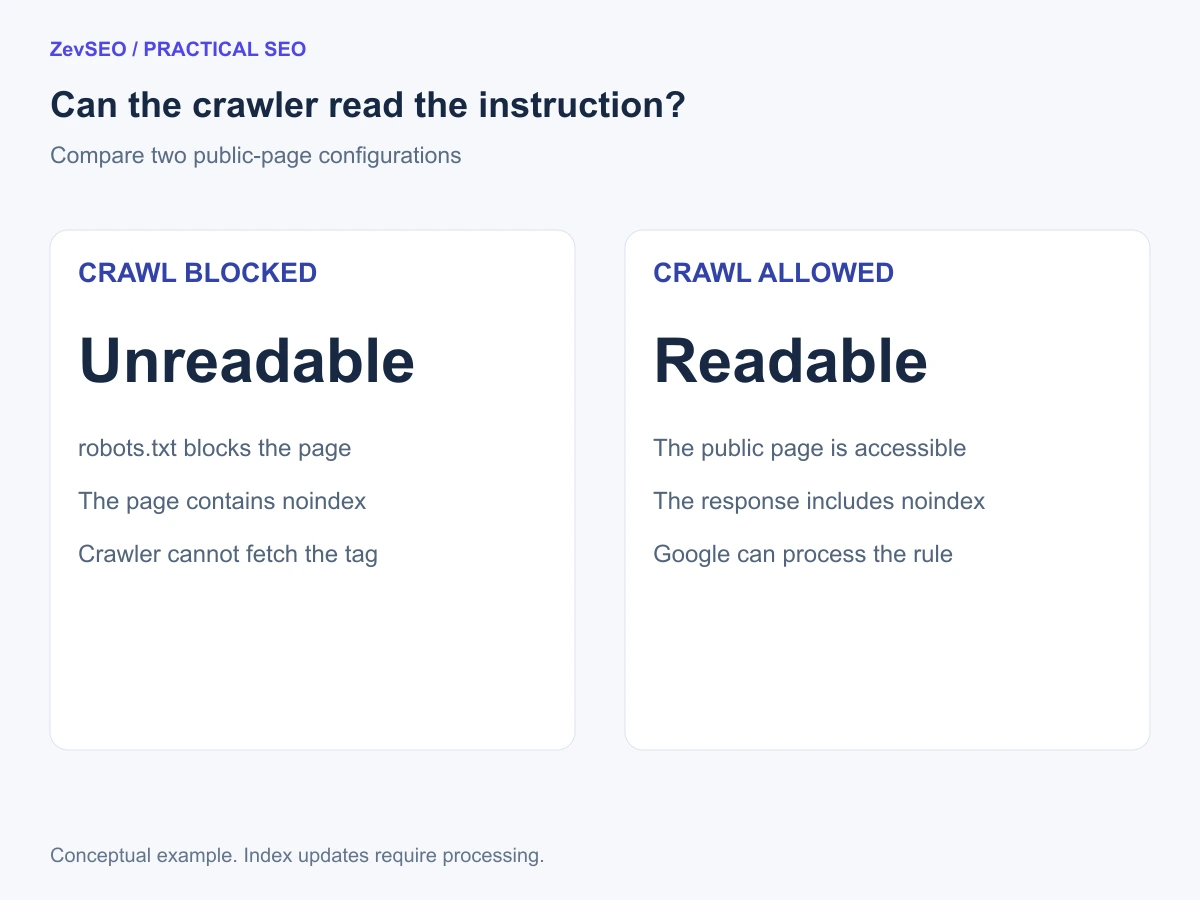
Figure 1. A noindex instruction on a blocked page may never be read. This is a conceptual diagram.
2. Use robots.txt when your goal is crawl management
For an example site, a simple rule might be:
User-agent: *
Disallow: /internal-search/
This asks cooperating crawlers to avoid that path on the relevant site. It does not delete URLs from an index, restrict human access, or make search results private.
Place the file at the site's robots.txt endpoint. Check the actual host, scheme and port: a file on your production hostname does not automatically control another subdomain. Google documents scope and matching behavior in its robots.txt specification.
Keep your initial test simple: identify one target crawler, one URL path and the applicable rule. For multiple user-agent groups, wildcards or overlapping Allow and Disallow rules, verify Google's documented matching behavior rather than assuming the first line wins.
3. Use noindex when an accessible page should stay out of search
Suppose your public confirmation page should remain usable after a form submission, but has no useful role as a search landing page. For an HTML response, put the instruction in its head:
<!doctype html>
<html lang="en">
<head>
  <meta charset="utf-8">
  <meta name="robots" content="noindex">
  <title>Request received</title>
</head>
<body>
  <p>We have received your request.</p>
</body>
</html>
The title and text are sample content. Apply the tag only to the intended page or page type; do not accidentally add it to your shared production layout.
For a PDF or a resource where an HTML meta tag is unsuitable, an example response is:
HTTP/1.1 200 OK
Content-Type: application/pdf
X-Robots-Tag: noindex
The header belongs in the actual HTTP response, not in the HTML body or the PDF text. Google describes these page-level mechanisms in its robots meta tag and X-Robots-Tag documentation.
For either method, verify that the intended response is accessible to the crawler and carries the instruction. Adding noindex does not instantly update Google's existing index record.
4. Avoid the combination that hides your instruction
Consider this robots.txt rule:
User-agent: *
Disallow: /thank-you/
Now imagine the HTML at /thank-you/ also contains a noindex meta tag. If Googlebot obeys the crawl block, it cannot fetch that page to see the tag.
For a public confirmation page whose goal is exclusion from search, make that specific URL crawlable and serve noindex. Check broader directory rules and crawler-specific groups too; deleting one line may not remove the effective block. Google explicitly explains the crawl requirement in its noindex implementation guide.
If the page contains private information, keep it protected by access controls. Do not make private content publicly accessible just to deliver an indexing instruction.
| Example configuration | What can happen | Next step |
|---|---|---|
| Crawl allowed, noindex readable | Google can process the exclusion instruction | Verify the response and later indexed status |
| Crawl blocked, noindex only inside the page | The exclusion instruction may be unreadable | Resolve the crawl conflict for public content |
| Crawl blocked, no noindex | Discovery elsewhere may still expose the URL in search | Choose a mechanism suited to the real goal |
| Authentication required | Anonymous visitors cannot read protected content | Keep access protection; assess existing public exposure separately |
Do not put Noindex: into robots.txt and assume it works. Google does not support that robots.txt rule, as stated in the same noindex guide.
5. Verify the response, then verify Google's information
After deploying a change, inspect the URL you actually mean to control, including its final destination after redirects.
- Check access. Does the intended public page load, or does it redirect, require login or return an error?
- Read the relevant robots.txt. Identify the crawler group and effective path rules.
- Inspect the response. Check both the HTML head and HTTP headers for indexing instructions. A CMS, application and proxy can each affect what gets served.
- Use URL Inspection. Compare current accessibility with the indexed version and the last recorded crawl information.
- Recheck after processing. A live response test is not proof that Google's index has already changed.
Google's URL Inspection guide distinguishes the indexed-version information from a live test. Keep that distinction in your change log.
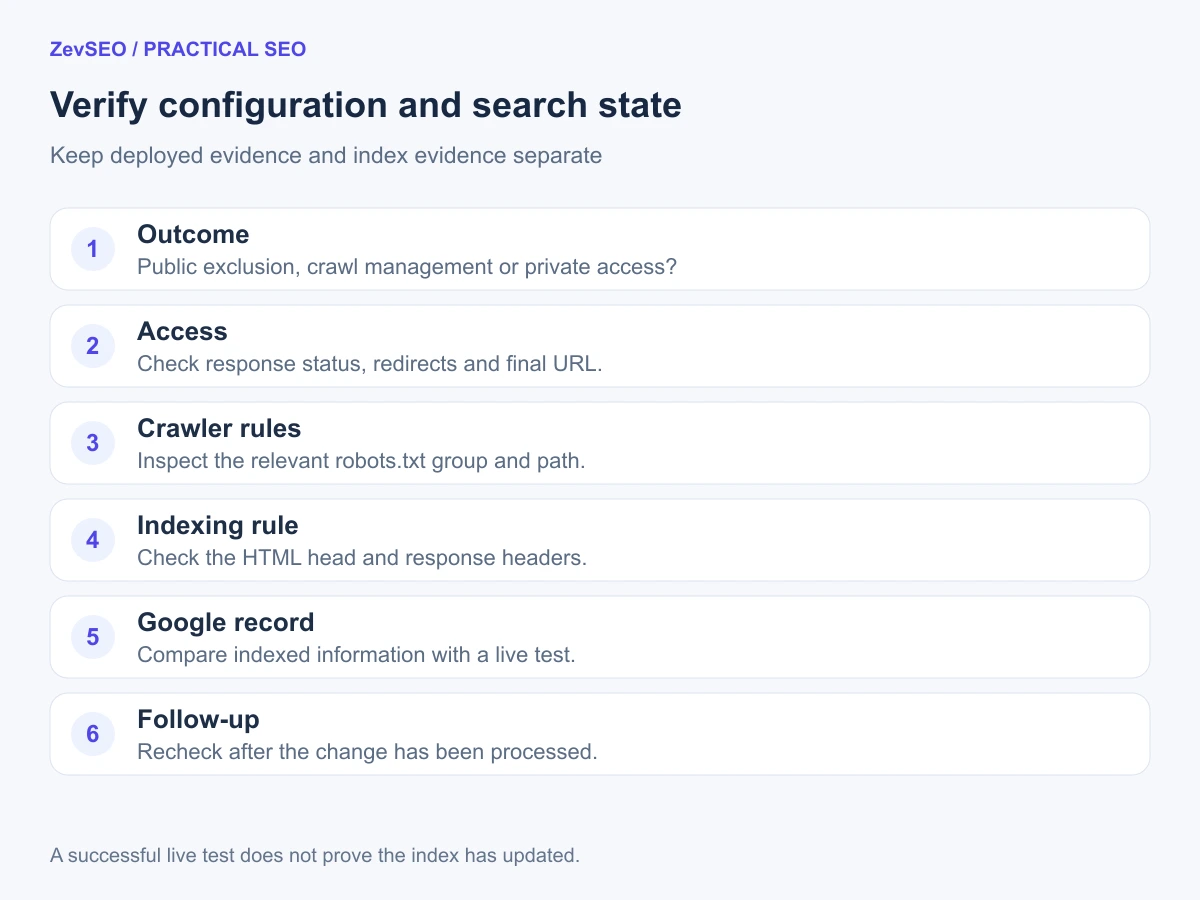
Figure 2. Verify the deployed configuration and the recorded search state separately.
Use this compact record when handing the issue to a developer:
| Field | What to save |
|---|---|
| URL and intended outcome | Public but excluded, crawl management, or private access |
| Observed response | Timestamp, status, redirects and final URL |
| Crawler access | Relevant robots.txt group and rules |
| Indexing instruction | Actual meta tag or response header |
| Google information | Indexed-version findings and live-test findings, recorded separately |
6. Use a robots tool within its actual scope
The ZevSEO robots.txt tool can fetch the file and help you inspect simple path rules. Start with a single uncomplicated rule and the relevant crawler.
The current tester is a basic rule check, not a complete reproduction of Google's processing for every group, wildcard and precedence combination. It does not inspect the target page's noindex instruction or establish its current index status. For complex cases, use the official rule documentation and URL Inspection alongside the tool.
That separation helps you avoid acting on a misleading green status: “allowed to crawl” and “eligible to be indexed” answer different questions.
Frequently asked questions
Can Disallow remove a page that is already indexed?
Do not rely on it for removal. Decide whether the resource should remain public and excluded, be protected, or be removed, then apply the appropriate mechanism and verify the resulting state.
Do I need both noindex and nofollow?
They describe different instructions. For the goal of excluding this page, the example uses noindex alone. Do not add other directives automatically without deciding what you want them to control.
Does removing noindex guarantee that a page will rank?
No. Also check access, crawler rules and the page's actual content. Removing one block does not guarantee indexing or a particular search position.
Should a staging site use robots.txt as its only protection?
No. Protect the environment with authentication or another suitable access restriction. A publicly readable robots.txt file does not protect the content behind a listed path.
Choose the outcome before editing the rule
For a public page you want excluded, make the indexing instruction readable. For crawl management, use rules scoped to the relevant crawler and path. For private material, enforce access control.
Inspect your robots.txt with ZevSEO, then verify the page response and Google's recorded information before closing the issue.